AI & Creative

Auto-Cut, captions, reframe

Auto-Cut to Beat, Speech-to-Text captions, Auto-Reframe for vertical delivery, Voice Isolate for outdoor vows, Optical Flow speed remap, and planar tracking — all local, all editable, all included.

AI & Creative

Auto-Cut, captions, reframe

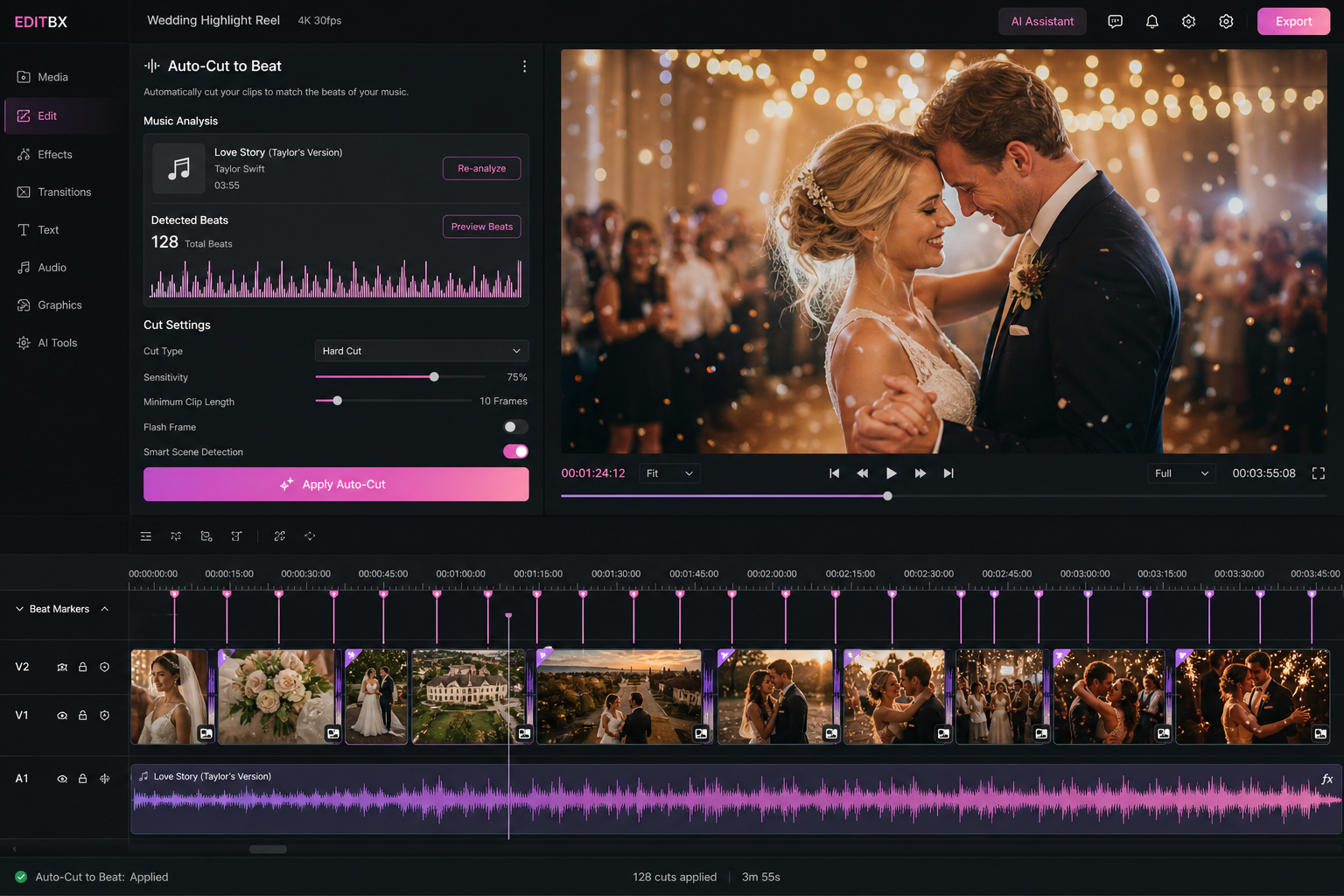
EDITBX AI Auto-Cut to Beat assembling a wedding highlight reel

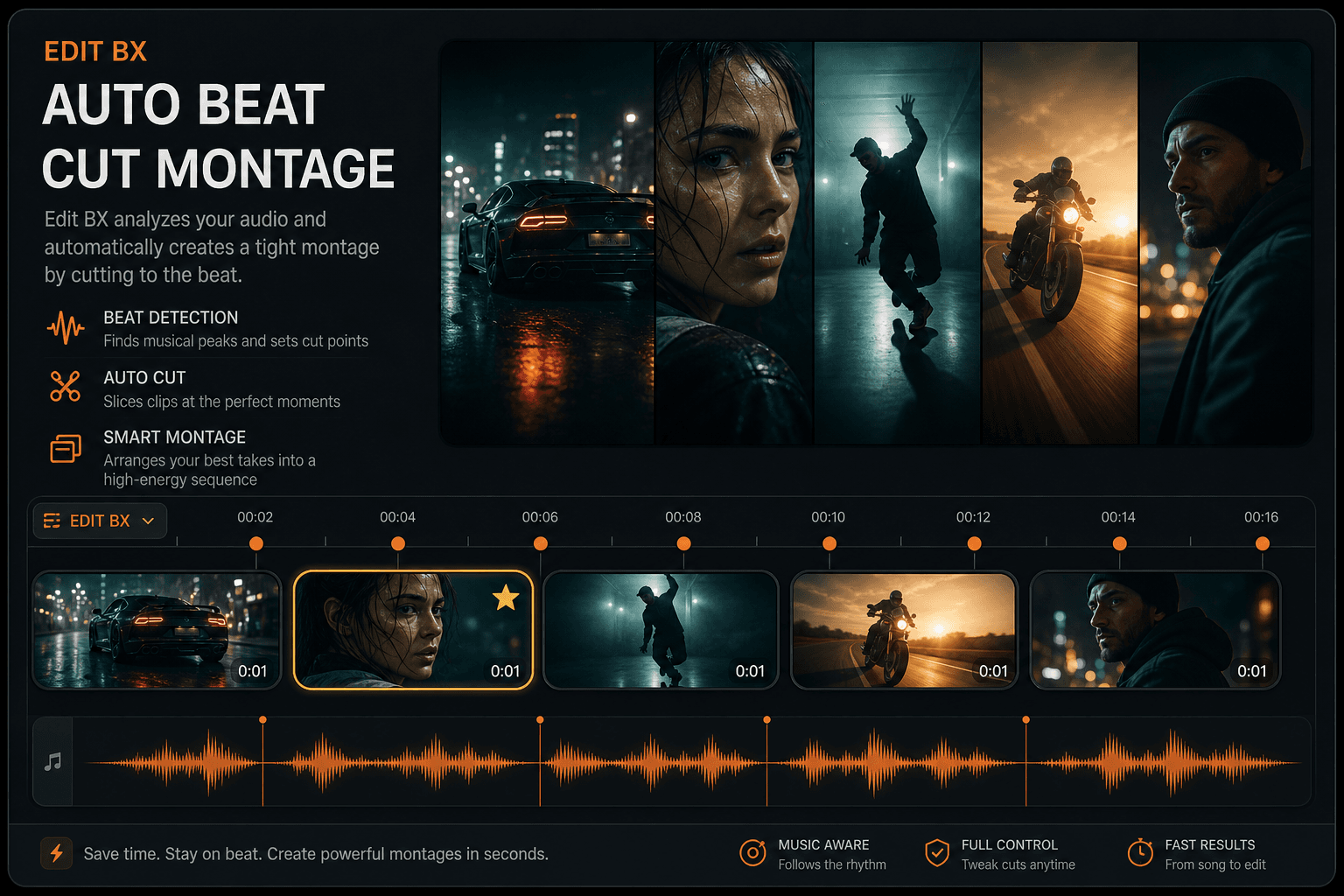
AI Auto-Cut to Beat

Drag clips and a song onto the timeline — EDITBX detects beats and lays down a beat-cut sequence in seconds. Reel-ready, wedding-ready.

Speech-to-text captions

Built-in transcription workflow. Drop a clip, get editable burn-in captions — no upload, no API key.

AI Auto-Reframe

Reframe 16:9 to 9:16, 1:1, 4:5, or 2.39:1 cinemascope with subject tracking. One-click vertical delivery.

Optical Flow Speed Remap

Optical-flow slow motion creates intermediate frames where the camera left gaps. Ideal for silky bridal-walk re-times.

Adjustment Layers

Dedicated adjustment-layer track — drop a grade, a look, or a vignette and it cascades over everything below.

Object & planar tracker

Point and planar tracking for masks, callouts, and signage replacement — no external round-trip.

Local AI · On your machine

AI & Smart Tools — WhatActually Works

Every feature below is wired in the current codebase. Status badges reflect real build capabilities — not marketing fluff. Click any card to preview the artwork.

Local AI Assistant
AssistantAvailable

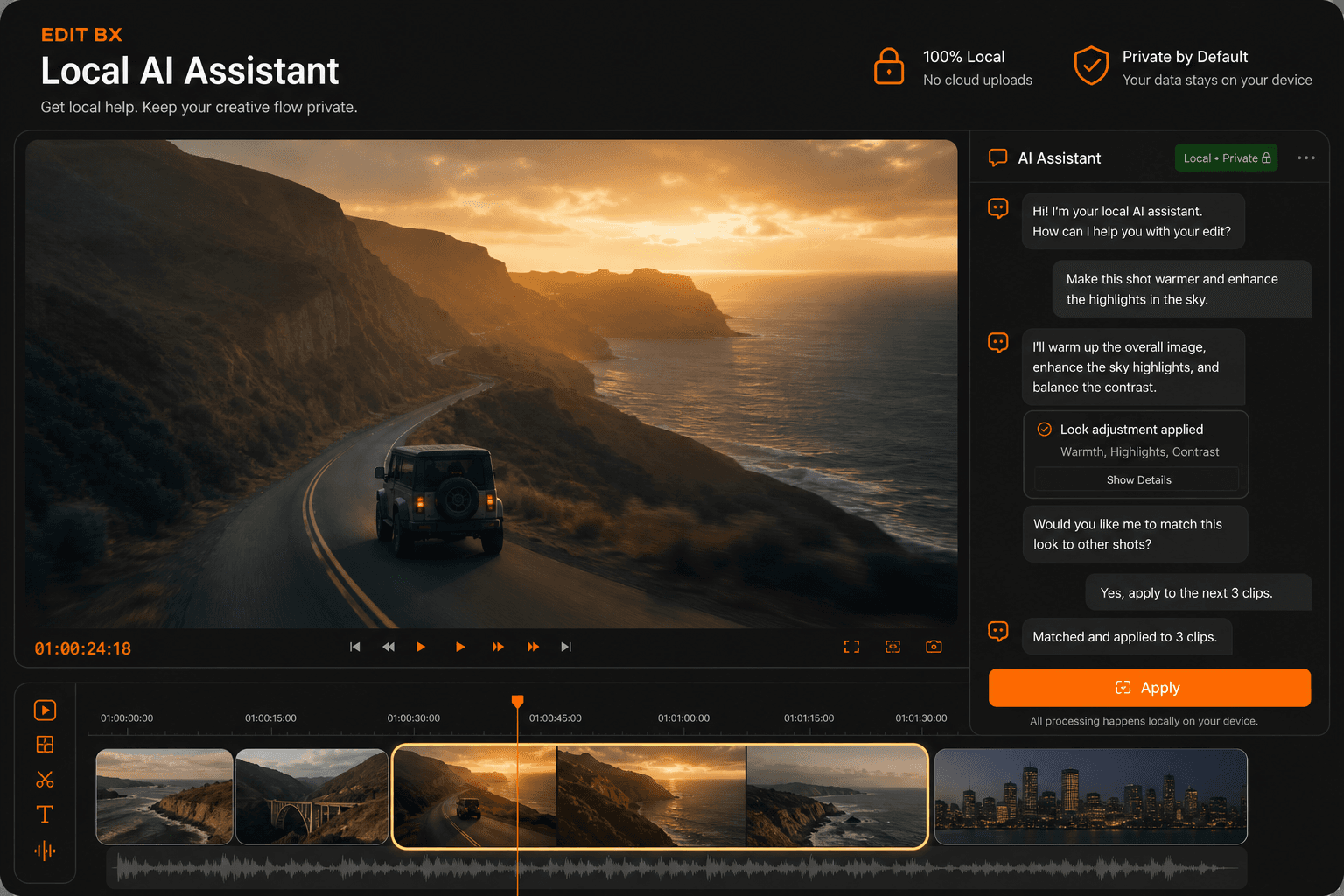
Local AI Assistant

Hybrid chat assistant: built-in fast rules + optional Ollama / LM Studio localhost models. Suggests edits for wedding highlights, reels, export presets, scene/beat markers, color, audio cleanup, and project health — always with Apply + confirm before anything touches your timeline.

Ollama · LM Studio · Built-in GGUF · Offline rules
Transcription and Captions
On-DeviceAvailable

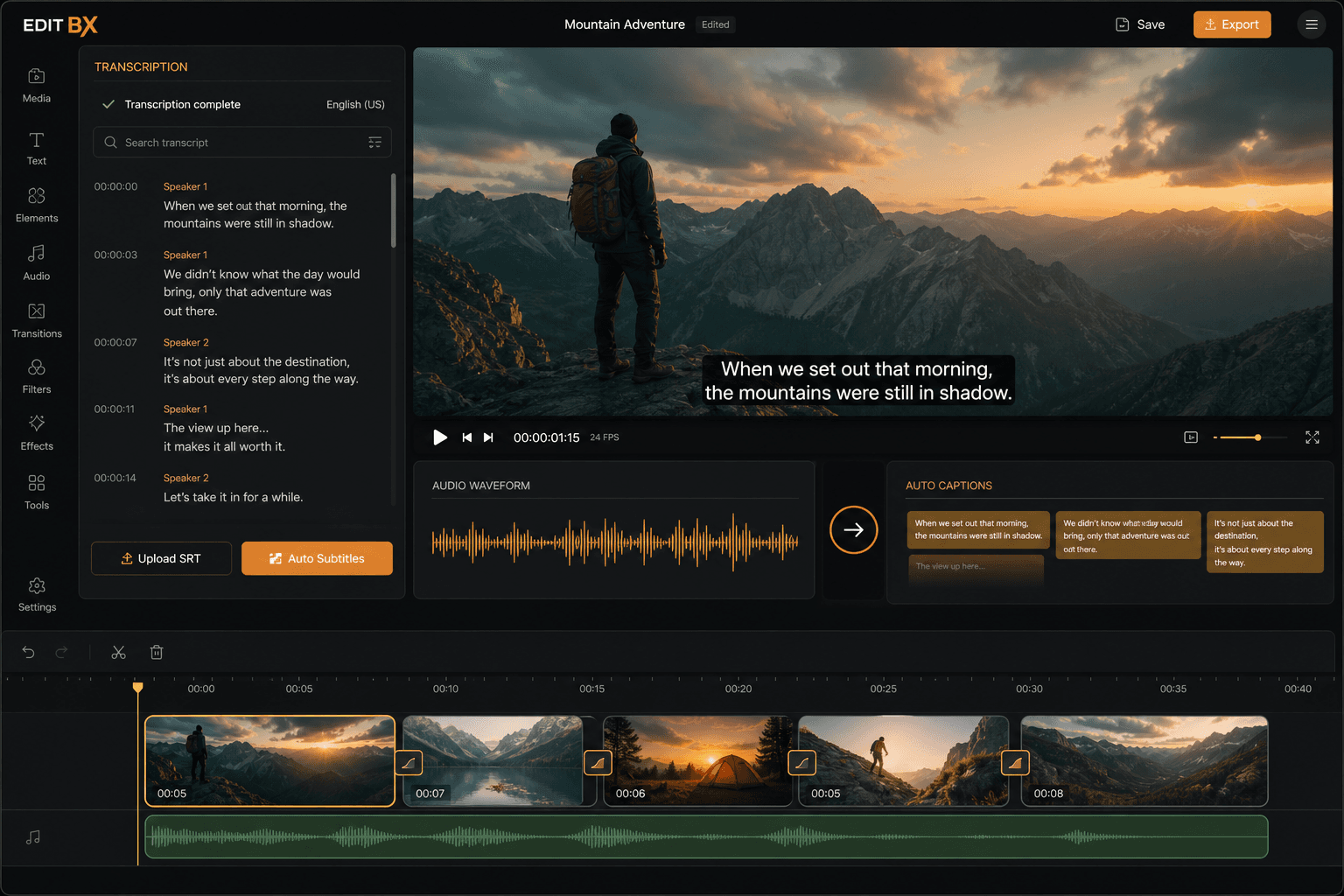
Transcription & Captions

Generate caption cues from clip audio using macOS Speech (on-device) or bundled whisper.cpp (ggml-base.en.bin). Writes SRT sidecars and timeline caption tracks. Also powers the AI "Create subtitle" and Social Caption quick commands.

whisper.cpp · macOS Speech · SRT sidecar

Text-Based Editing
EditingAvailable

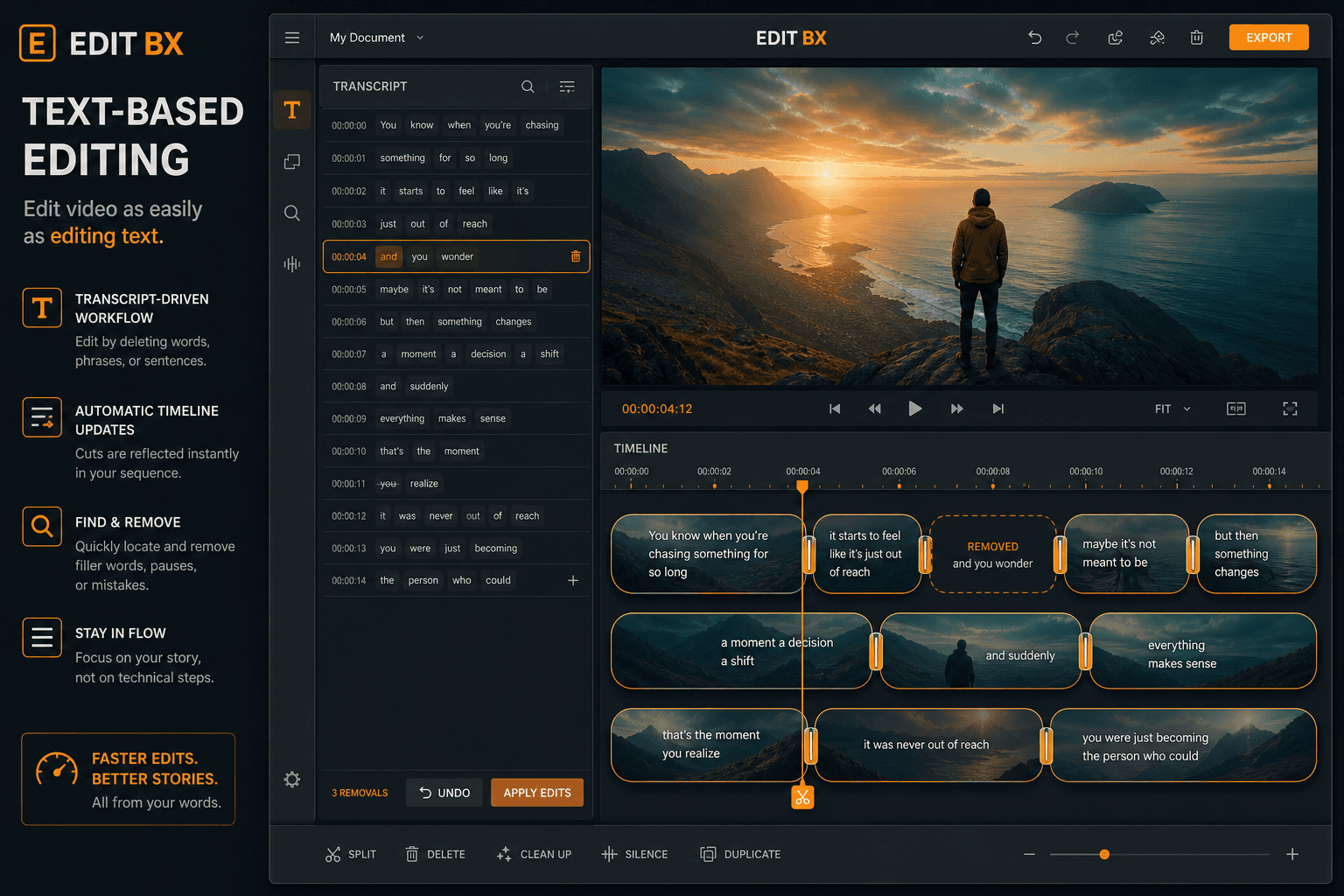
Text-Based Editing

Transcribe a clip with word-level timings, open the Transcript panel, select words, and press Delete to ripple-cut those sections from the timeline — like editing a document, not scrubbing frames.

Whisper word timings → Transcript panel → ripple extract

Scene Detect and Auto Cut
EditingAvailable

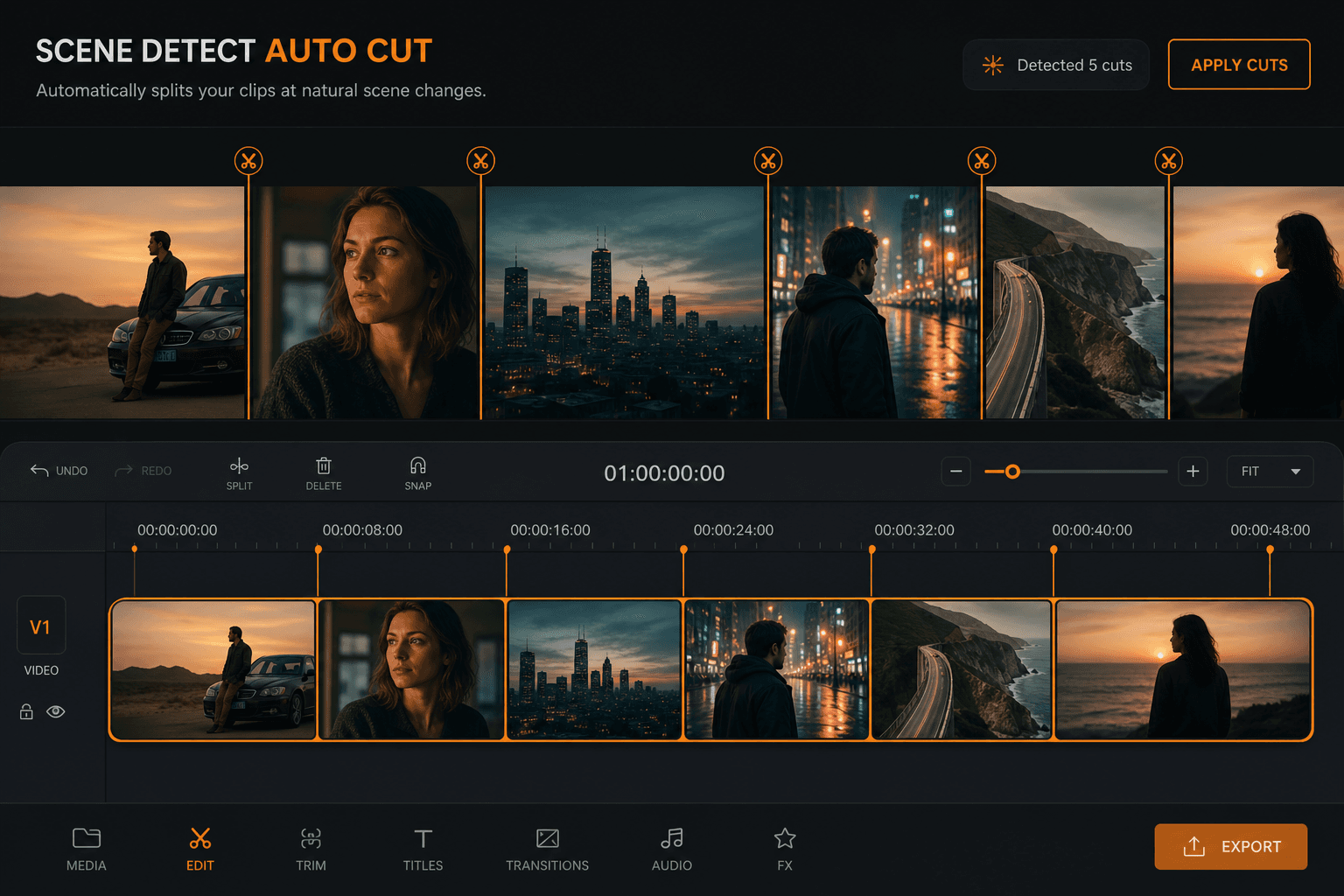
Scene Detect & Auto Cut

Find shot changes in the selected clip and split at each detected scene boundary. Uses FFmpeg scdet plus OpenCV refinement (or color-stats heuristic when OpenCV is unavailable).

FFmpeg scdet + OpenCV · color-stats fallback

Smart Reframe
EditingAvailable

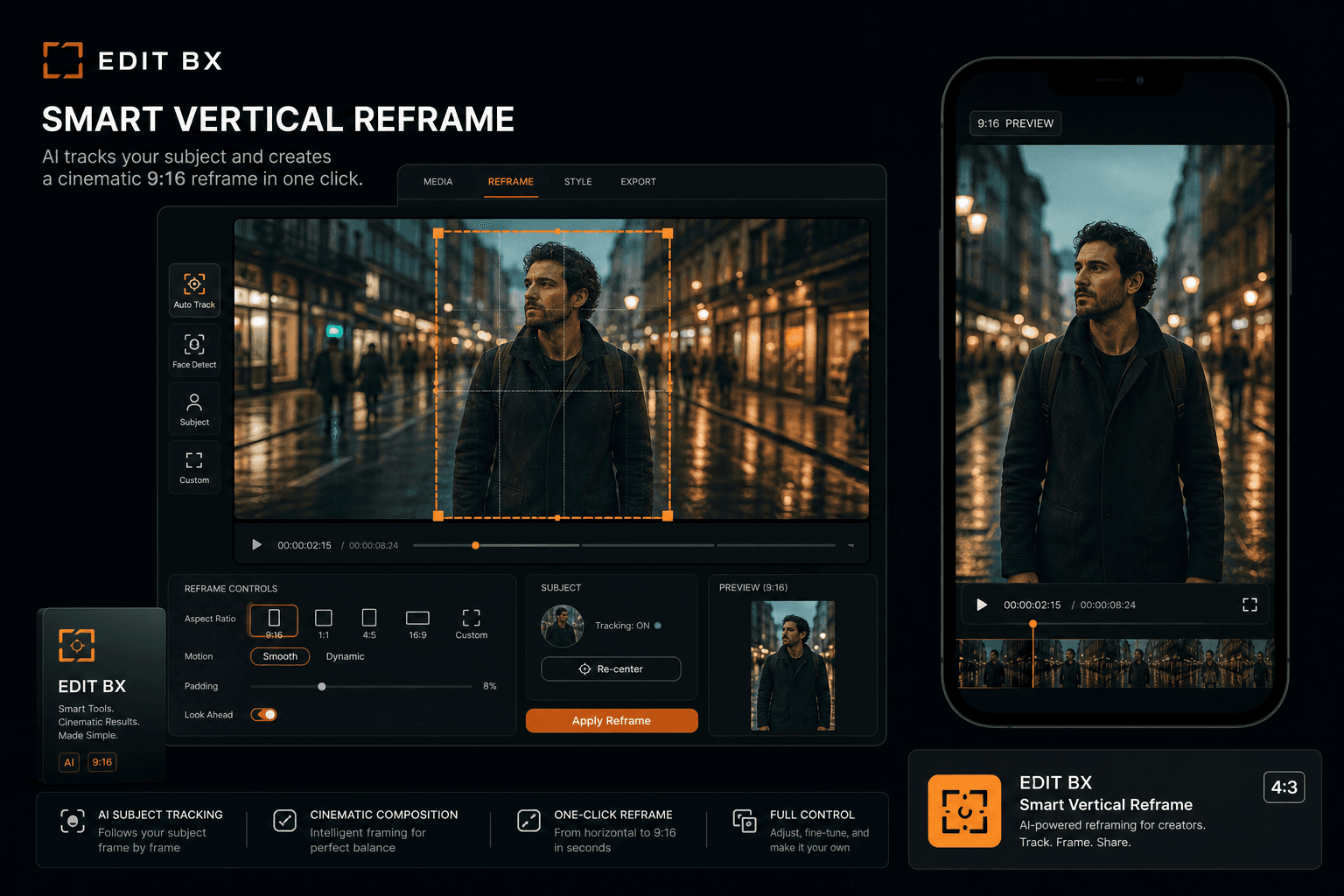
Smart Reframe (9:16)

Reframe the active sequence to vertical 9:16 for Reels/Shorts/TikTok. With OpenCV: scans people across each clip and writes smoothed transform keyframes. Without OpenCV: center-weighted heuristic crop (honestly labeled).

OpenCV person scan + SmartReframeApply · center heuristic fallback

Magic Mask and Segmentation
VisionAvailable

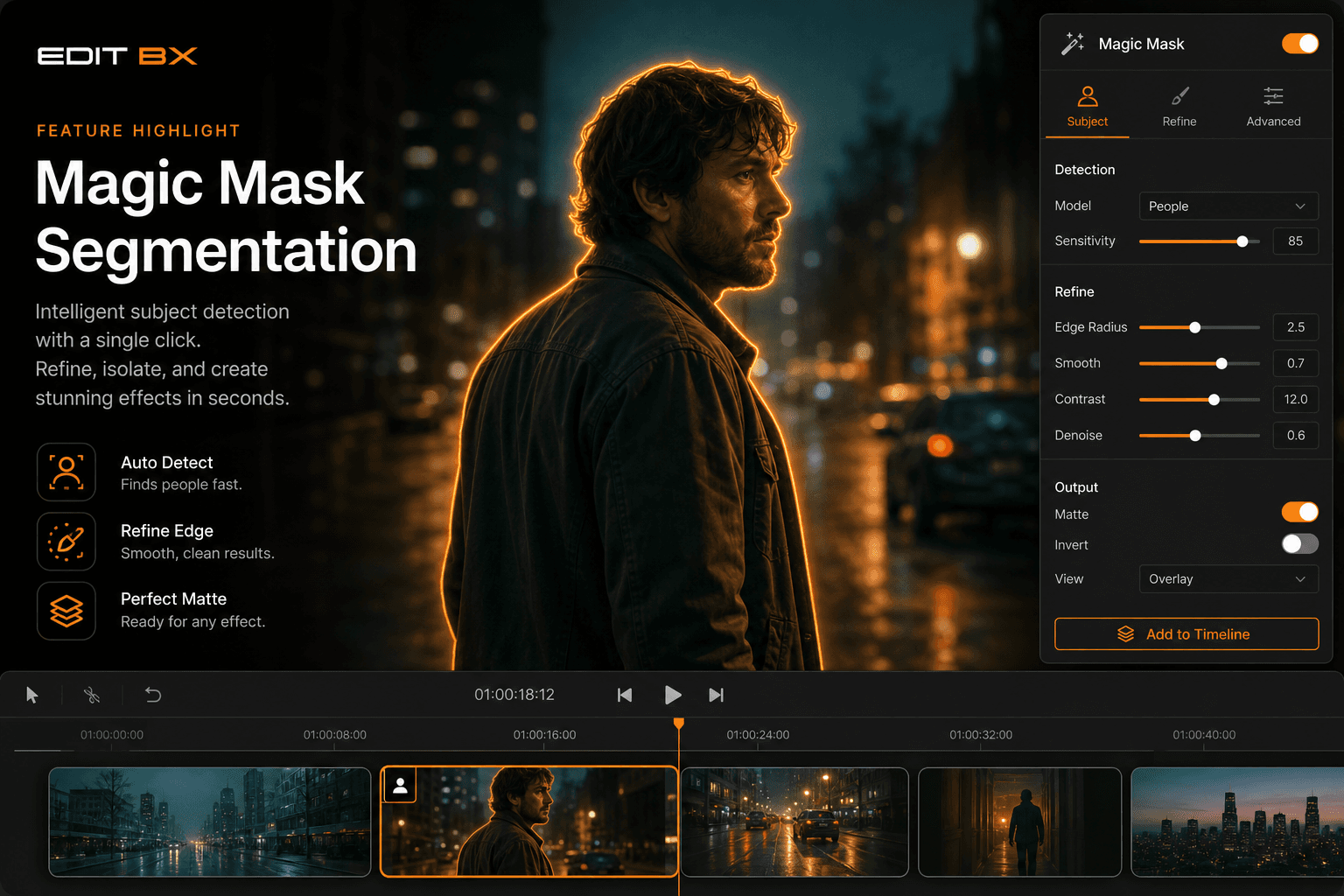
Magic Mask & ML Segmentation

Detect or segment subjects at the playhead and create follow masks for color grading or Fusion. ONNX U²-Net matte when model is present; OpenCV GrabCut fallback; Haar/HOG detect for Fusion mask nodes.

ONNX u2netp.onnx · GrabCut · Haar/HOG → Fusion nodes

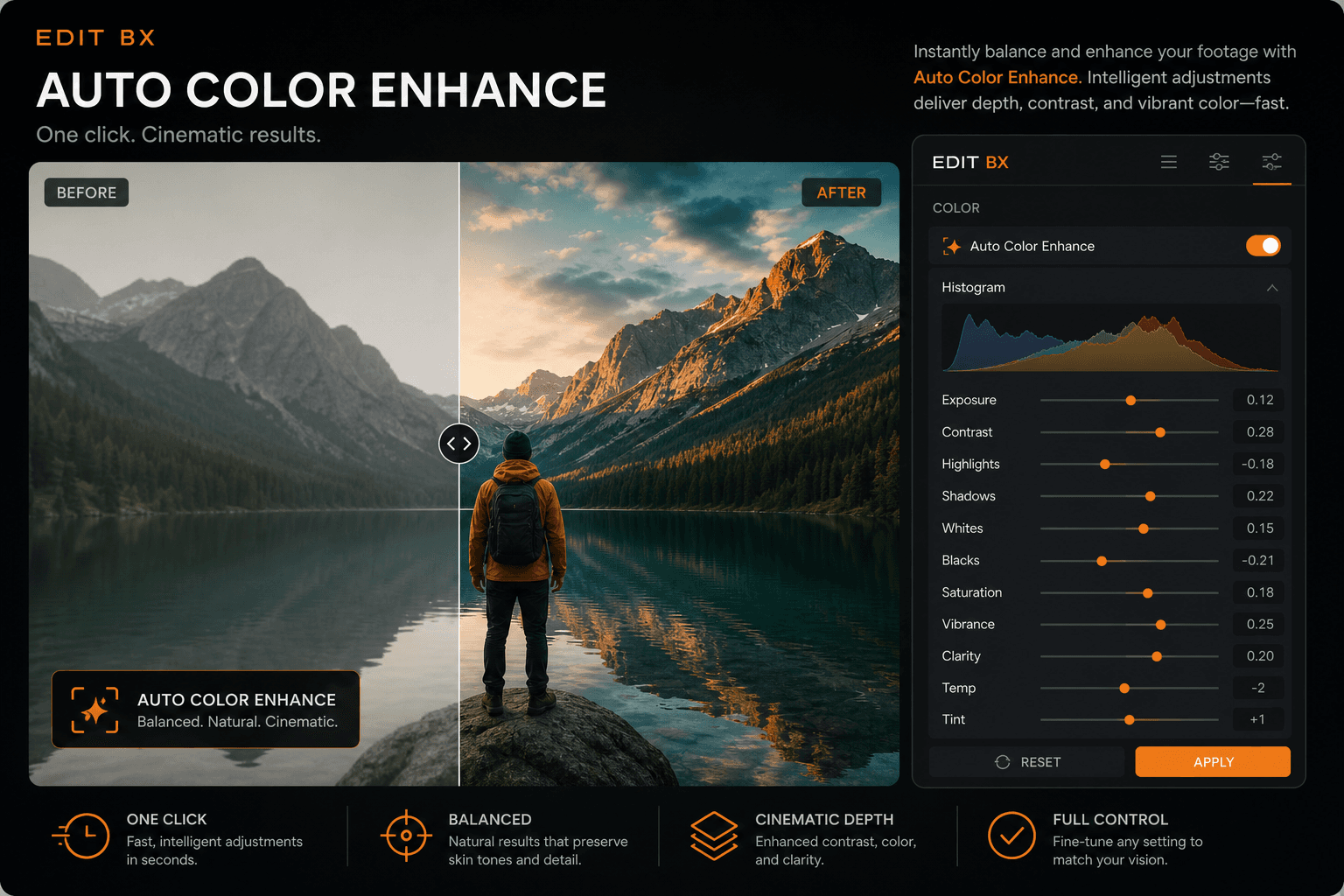
Auto Enhance Color
ColorAvailable

Auto Enhance

Analyze a representative frame and apply balanced exposure, contrast, and color to the selected clip. Multi-zone luma/RGB statistics with adaptive local contrast — no cloud ML, but genuinely useful one-click grade starting point.

Multi-zone luma/RGB stats → clip grade

Auto Beat Cut
AudioHeuristic

Auto Beat Cut

Build a music-driven montage that cuts on detected beats. Uses FFmpeg/DSP onset and energy analysis (not deep learning). Opens the Auto Beat Cut builder with beat markers you can refine.

FFmpeg/DSP beat analysis → cut planner

Super Scale ML Denoise
ExportAvailable

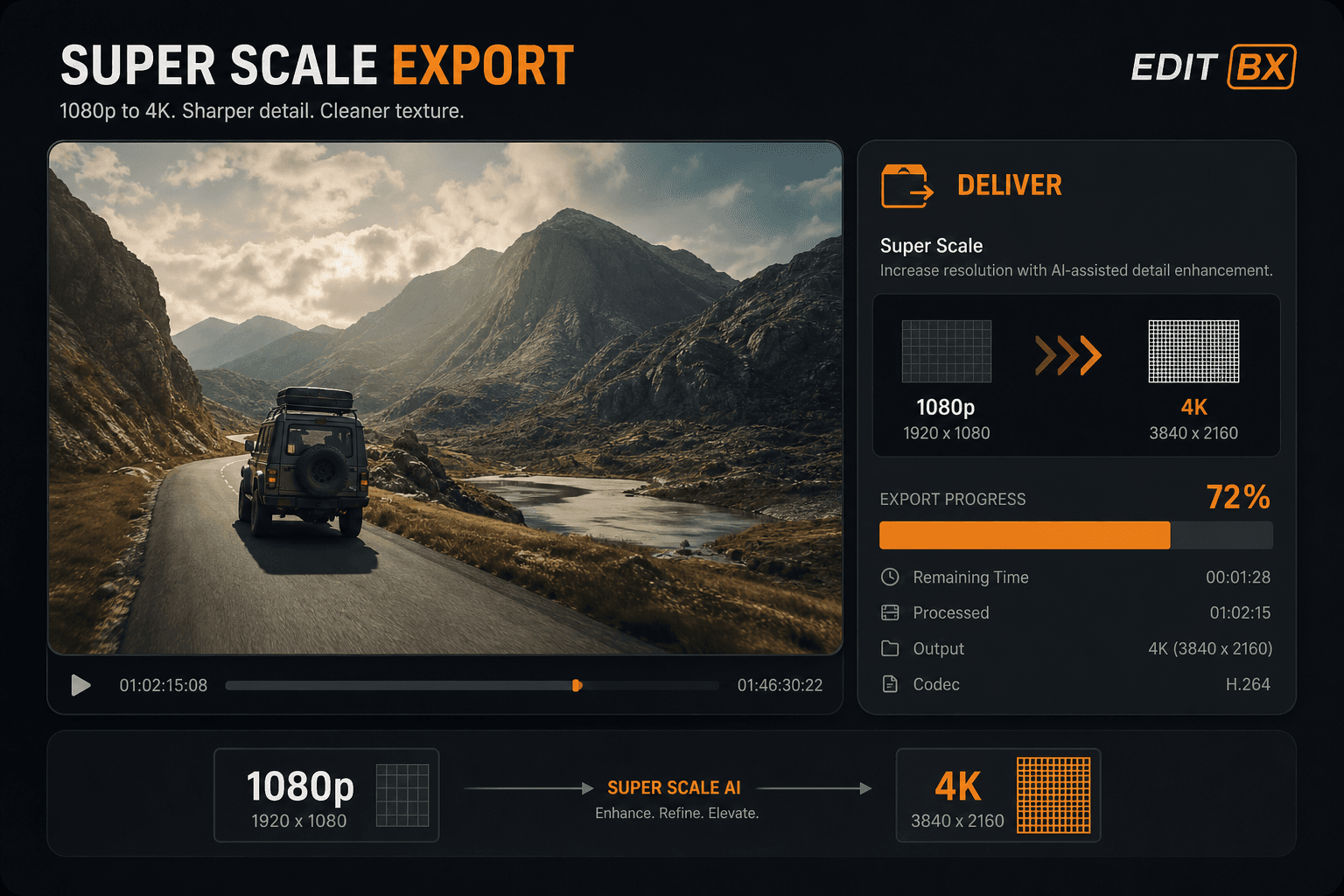
Super Scale / ML Denoise

Upscale export resolution 2×–4× with bilateral denoise and sharpen pass on Deliver. Set Super Scale in Project Settings; applied at export time — preview stays fast, export gets finishing quality.

Project Super Scale · bilateral denoise · sharpen on export

Wedding and Reels Planner
AssistantPro

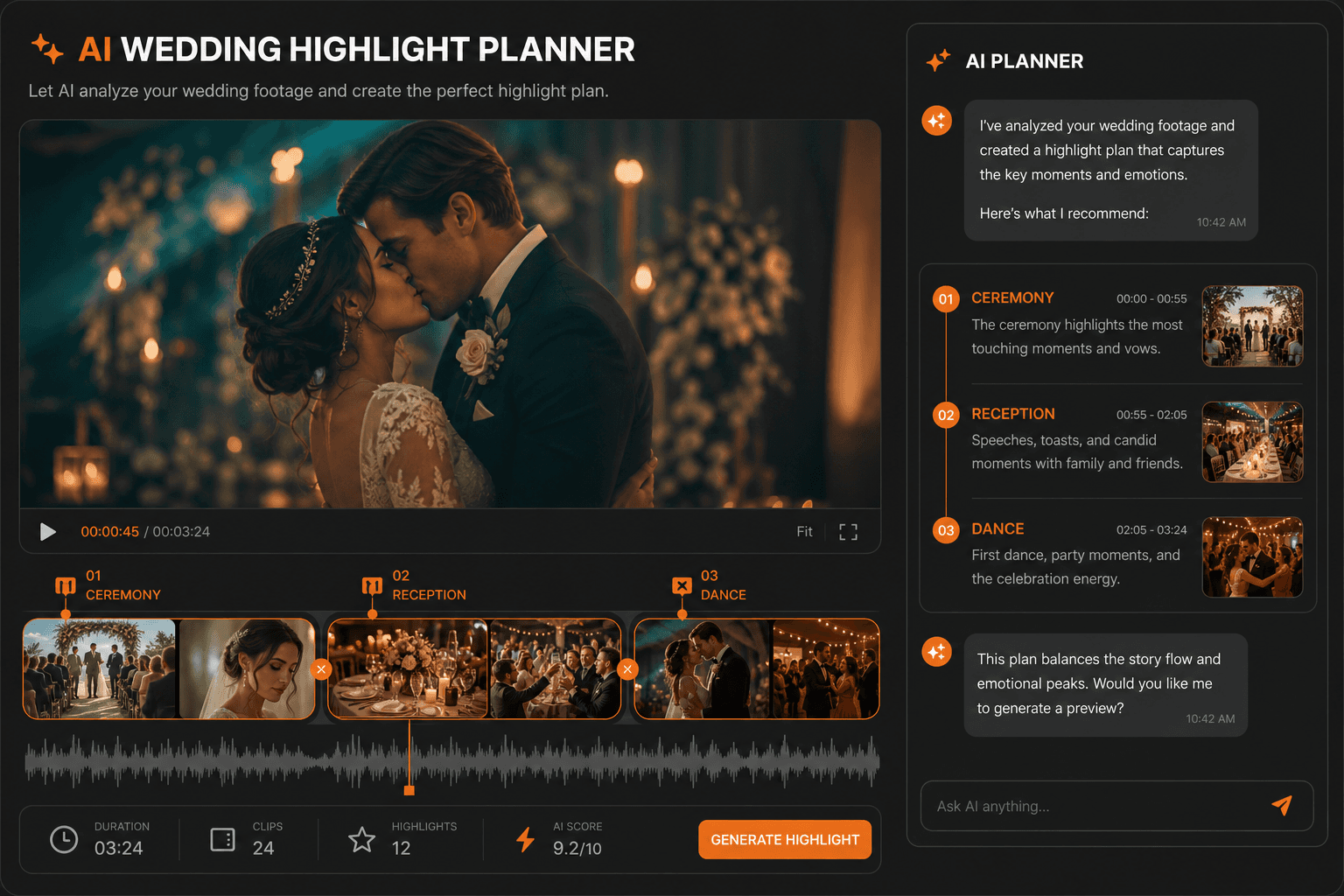
Wedding & Reels Planner

AI assistant generates structured wedding highlight plans (Ceremony, Reception, First Dance…) and beat-aware vertical reels cut plans from your project context. Apply creates timeline markers — plans are suggestions, not silent auto-edits.

AiStructuredActionParser · WeddingDashboardPanel · marker Apply

AI assistant

AI that assists — you stayin control.

Faster organization, caption drafts, beat hints, and practical suggestions — assistive tools that speed up real sessions.

Explore AI tools
Beat analysis for sync hints
Caption draft via speech-to-text or SRT
Rule-based edit suggestions
Scene cut detection
One-click cinematic look apply
Optional face / people mask assist
AI workflow

AI features arranged forreal editors.

EDITBX presents AI as a controlled assistant layer: analyze, suggest, review, apply. No hidden auto-editing, no confusing magic buttons.

Editor-control promise

Suggestions stay editable
Timeline changes require confirmation
Manual override stays visible
Assistive

AI edit assistant

Suggests timeline actions, cleanup steps, captions, transitions, and delivery checks without taking control away from the editor.

Prompt-guided workflow helpConfirmed actions onlyWorks with real timeline context
Built in

Beat-sync automation

Analyzes music energy, beats, voice onsets, and markers to help build highlight edits and social reels faster.

Beat pointsVoice-aware cutsMarker-driven sequences
Built in

Scene cut detection

Finds visual cut candidates for long footage, ceremony edits, documentaries, and imported reels.

Cut markersReview-first workflowLong footage friendly
Optional

Caption and transcript assist

Supports caption drafts through SRT or speech-to-text workflows so editors can review, correct, and publish clean subtitles.

Caption draftSRT workflowEditor review required
Preview

People mask assist

Uses vision-assisted detection paths for face or people-aware masks, useful for portrait polish and vertical reframing.

Mask hintsPortrait workflowManual override
Guarded

Export safety intelligence

Checks project, cache, proxy, RAM, decoder, and delivery states before final output so client exports stay predictable.

Preflight warningsRecovery-friendlyDelivery manifest
Production flow

From raw footage to editable AI suggestions.

A compact workflow editors can understand immediately inside the website.

01

Import ceremony, reception, speeches, and reel footage

02

Analyze beats, scene cuts, markers, and dialogue-heavy ranges

03

Create editable suggestions for highlights, chapters, captions, and reels

04

Review everything on the timeline before applying

05

Export client-ready deliverables with safety checks

Roadmap

Shipping next — already in the branch.

We only put a feature on the website once it's running in our internal builds.

One-click batch social presets

Coming soon

Queue 9:16 Reel, 1:1, 4:5, and 16:9 master from a single timeline. Coming in the next round.

Studio team licensing

Coming soon

Seat sharing, audit log, and remote deactivation for studios with more than 3 workstations.

Support